Tables map
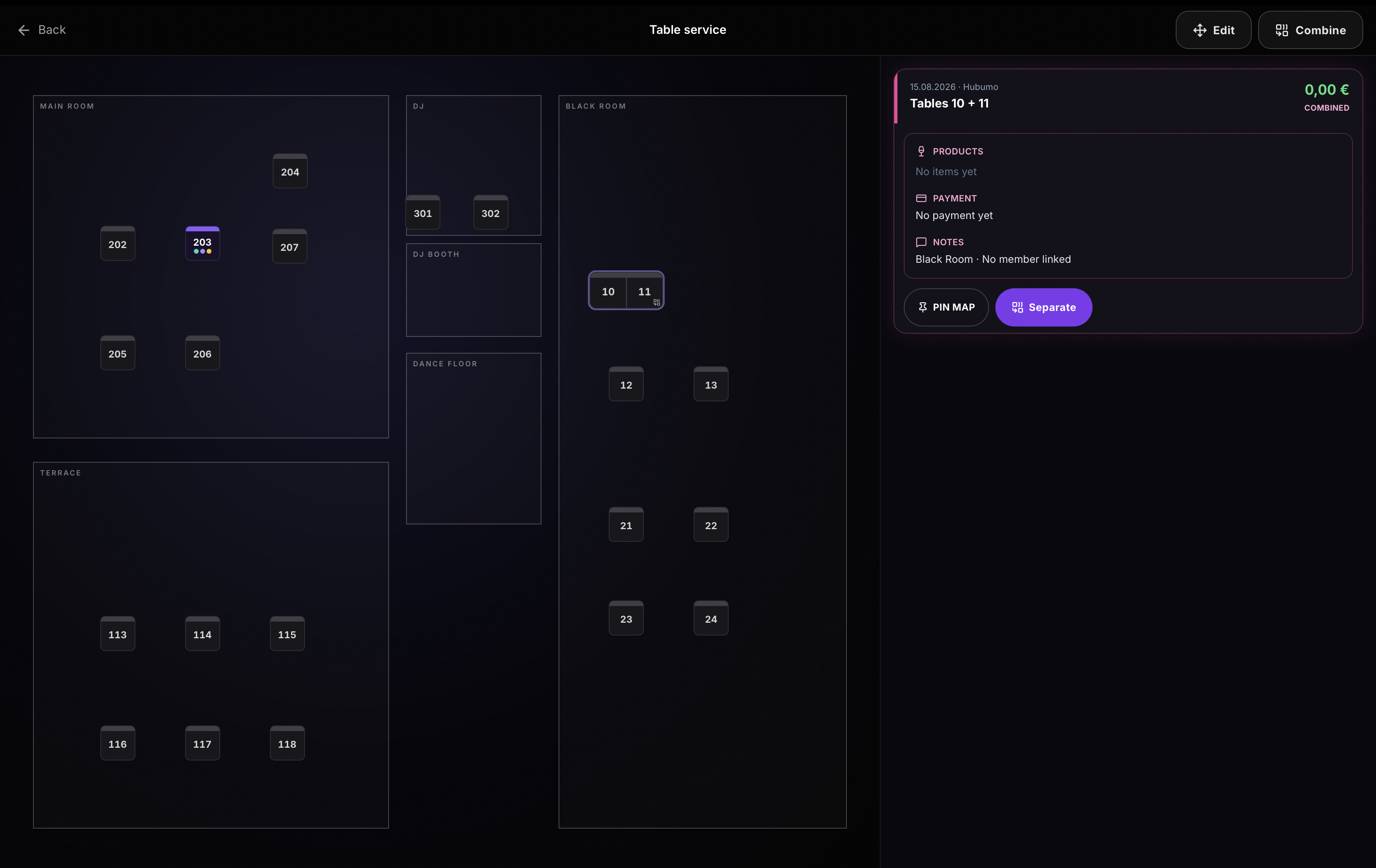
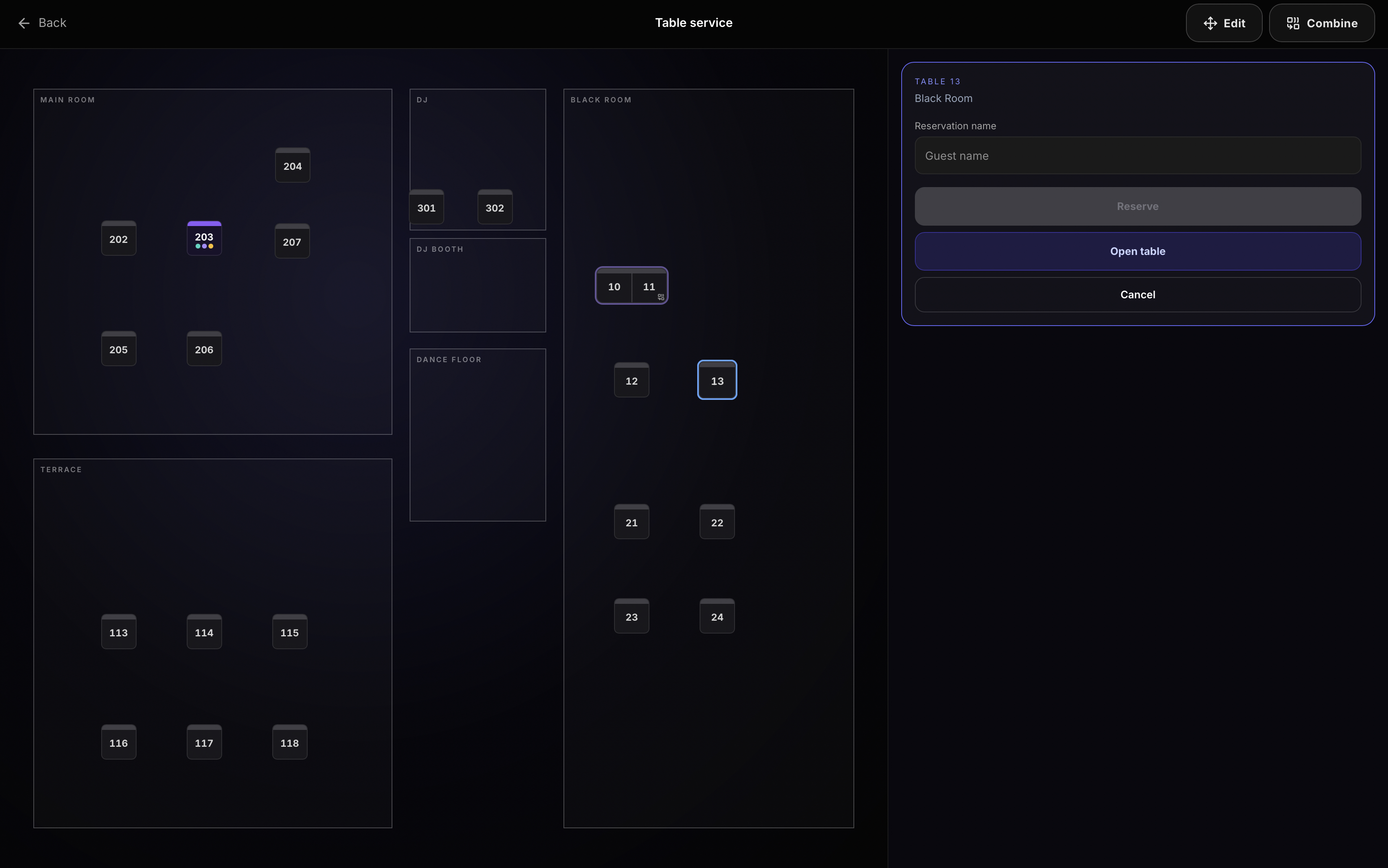
Manager → Tables is the floor editor. Place tables, assign zones, combine or reserve, print QR stickers. POS Table service and Waiter use the same layout on the night — IN USE lists open holds, status dots show on the map.
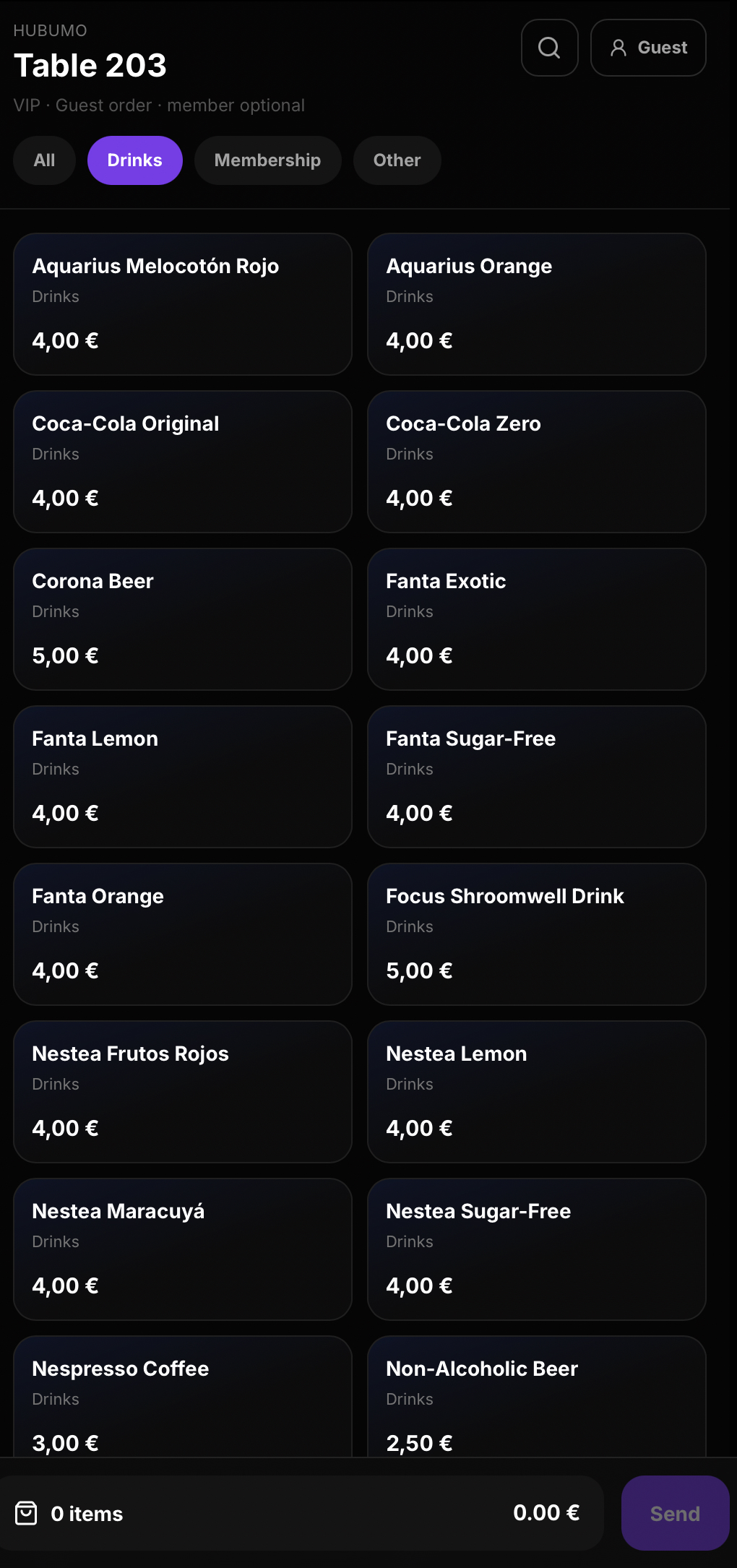
Tables map pack lays out the floor (zones, pin, combine, reserve, print QR). Guests scan the table sticker, order on their phone, and the lines land on that table’s check. Staff see Hold / OPEN on Table service; new QR orders blink on the till and Waiter, with Pull to POS when the bar should take the ticket.
Concrete capabilities from the live Hubumo build — not a generic feature list.
Manager → Tables is the floor editor. Place tables, assign zones, combine or reserve, print QR stickers. POS Table service and Waiter use the same layout on the night — IN USE lists open holds, status dots show on the map.
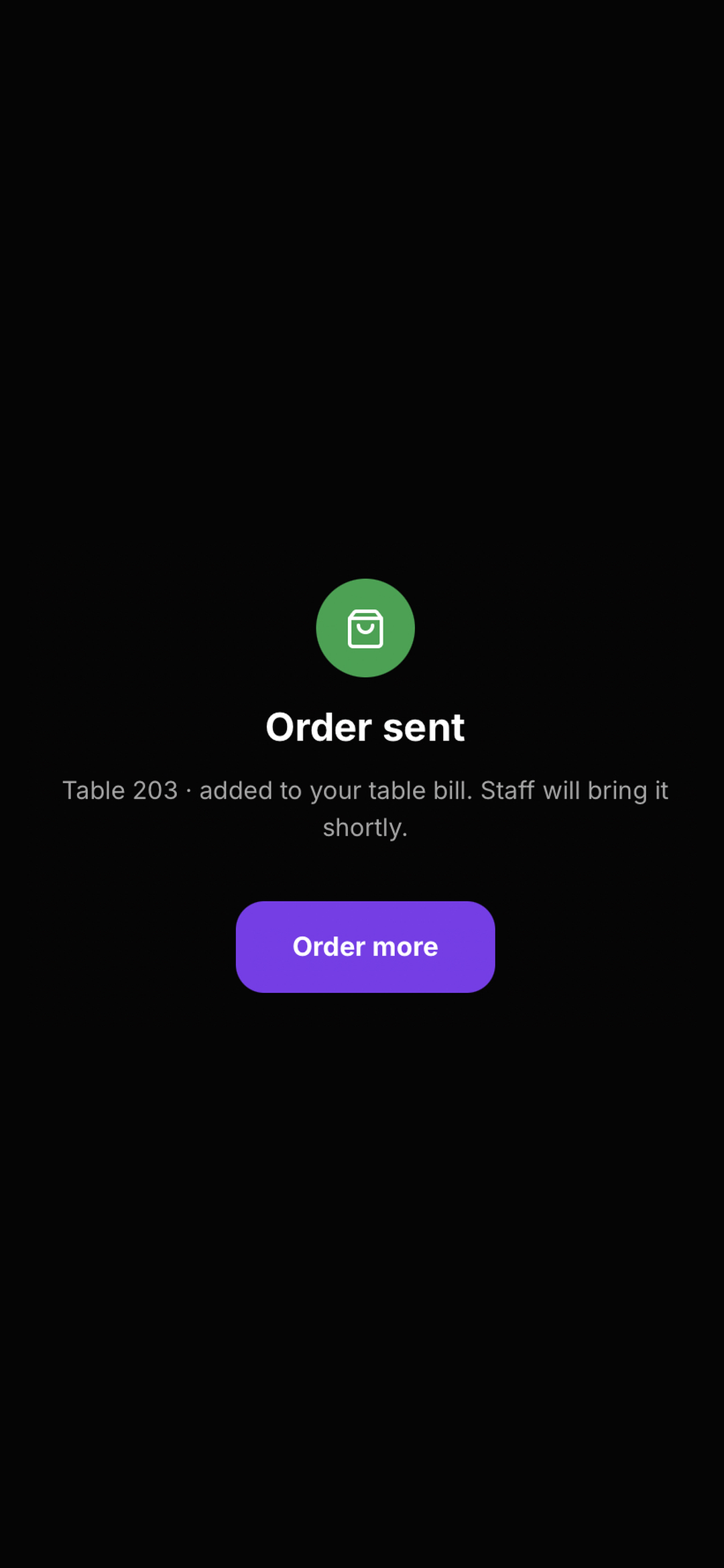
Scan the table QR, browse the live catalog, Send. The order is added to that table’s bill; guests see Order sent and can Order more. Staff Resume / pay from Table service or Pull to POS on the bar till.
When Guest self-order is members-only, walk-up guests cannot place QR orders without an active member — useful for private floors.
Manager → Tables — place tables, print QR.
Settings → Guest self-order: everyone or members-only.
Guests scan → Hold / Pull on POS or Waiter — same check.
Real Hubumo screens from this module — each image shows a distinct workflow, not a repeated shot.


Tell us about your venue, your locations, and what you want to improve. A member of the Hubumo team will contact you shortly.