Staff list
Create staff profiles with role-based access, PINs, hourly rates, and NFC credentials. Each role determines which Hubumo tools the staff member can access after signing in. Deactivated accounts retain their historical records.
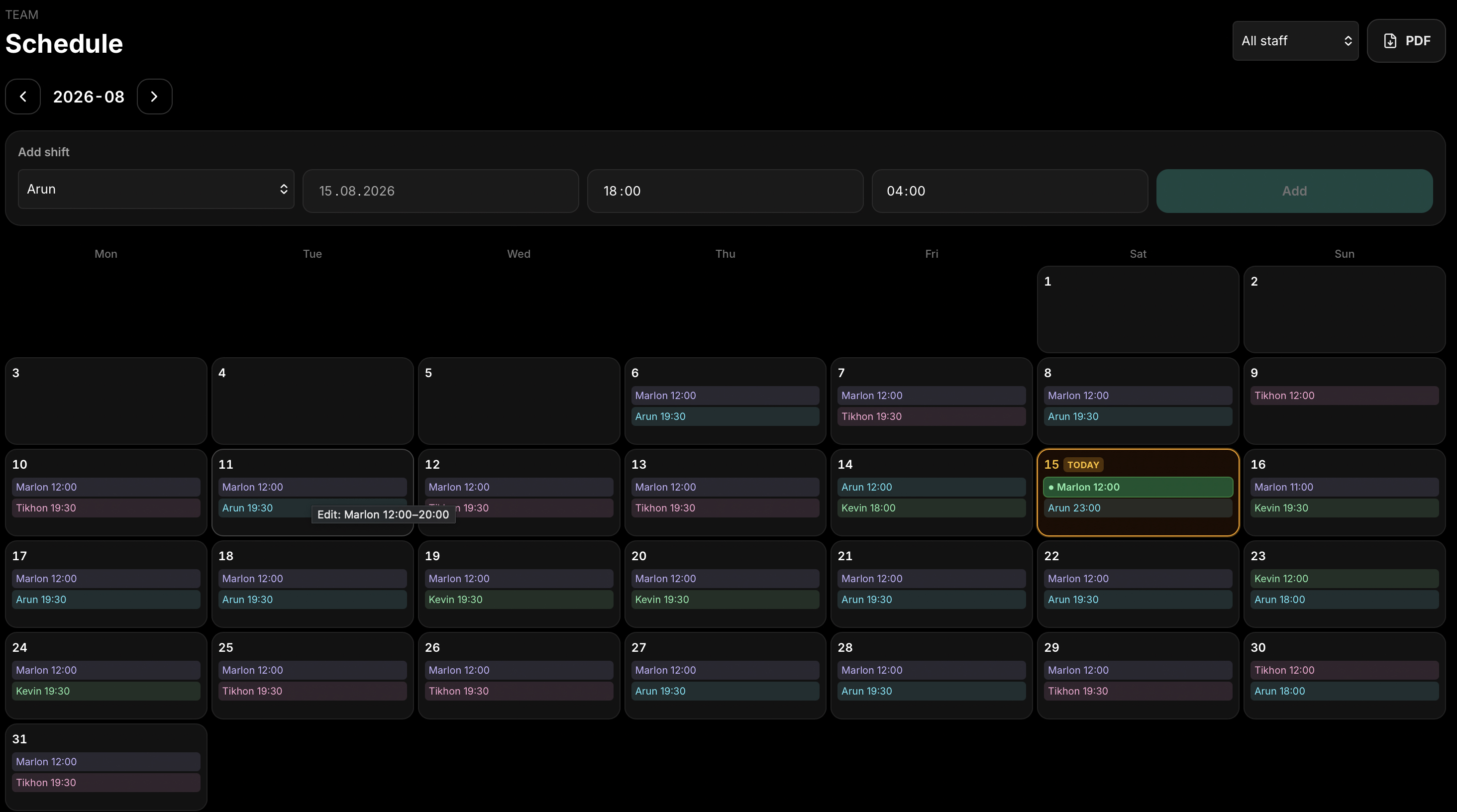
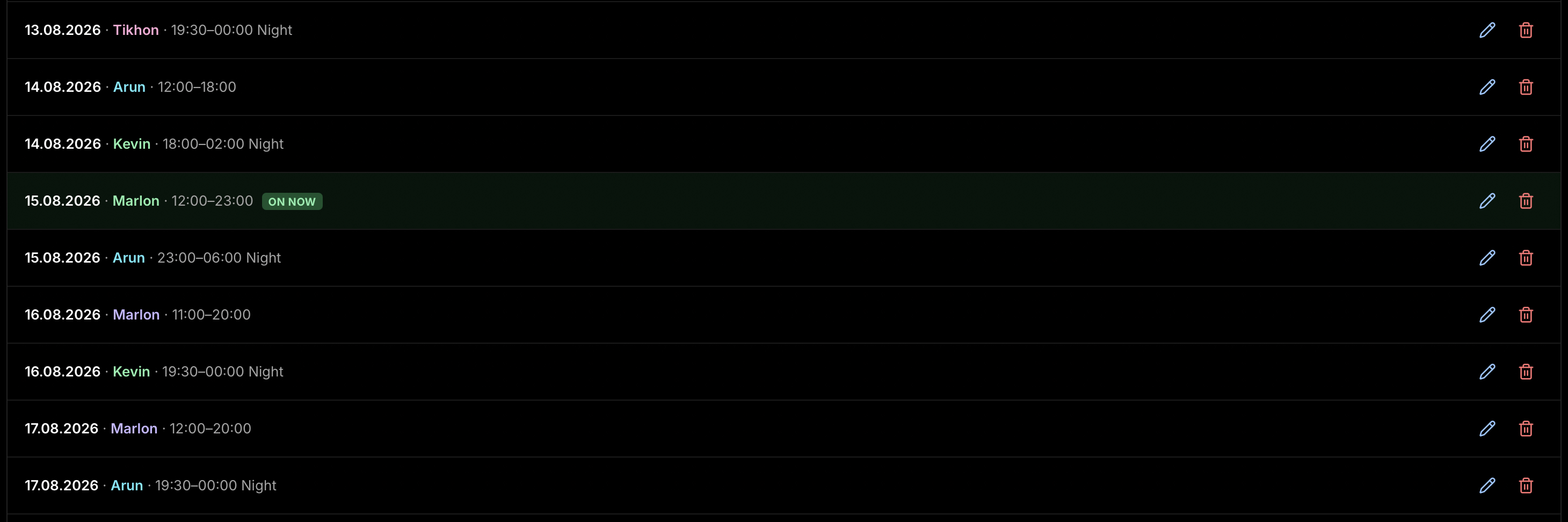
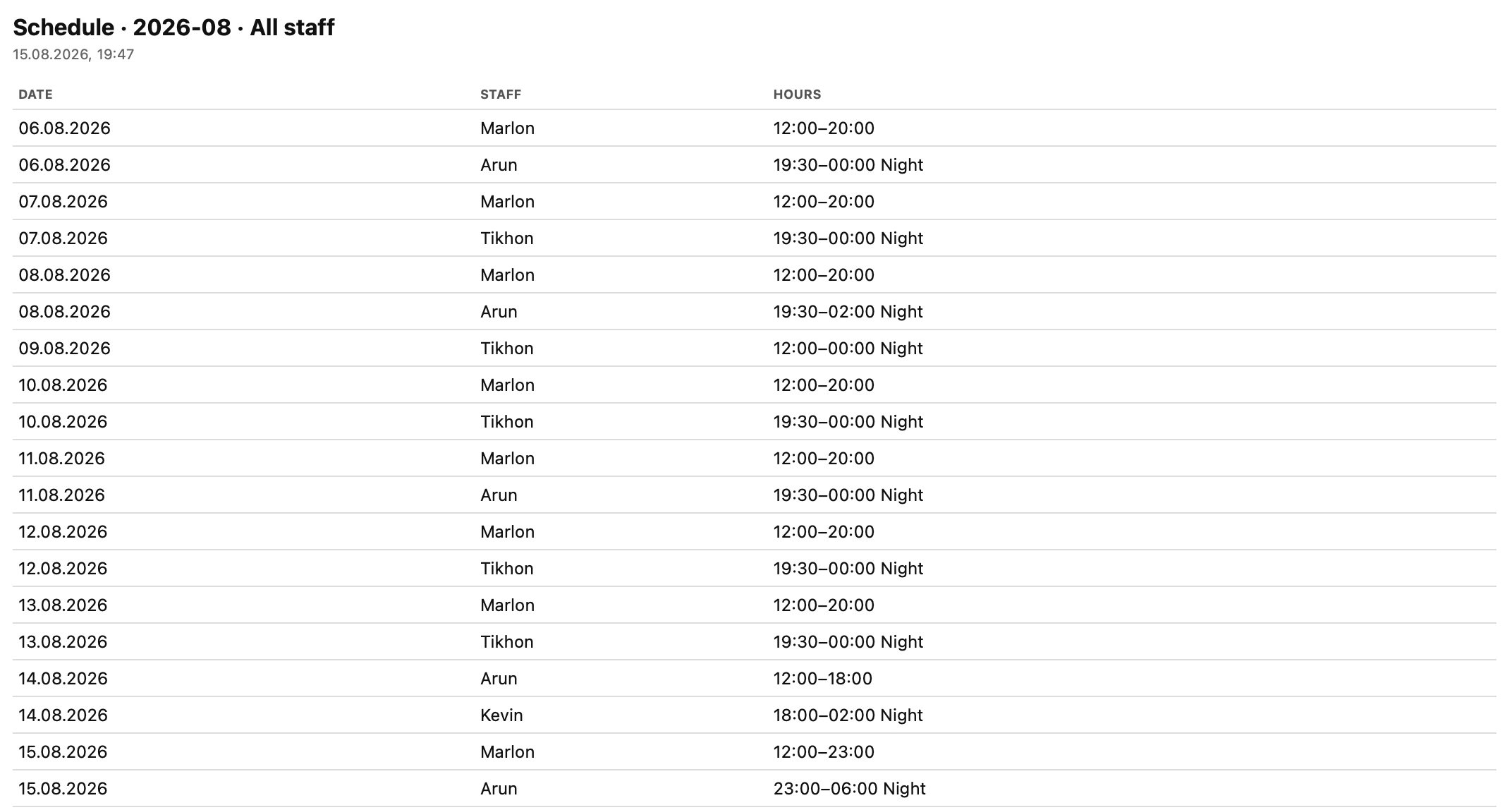
Staff accounts provide role-based access to Manager, POS, Waiter, Kitchen, and Ticket and Drink tools. Set a PIN, optional hourly rate, and NFC tag identifier, which can be read at a time-clock station or via Web NFC. Manage staff in a monthly calendar, add or edit shifts, see who is currently working, and highlight today’s schedule. Export a PDF schedule for all staff or for an individual team member, including dates, staff names, and working hours—even for overnight shifts that cross midnight. This schedule is separate from the Work Hours time-tracking board, while roster-based access uses the current day’s scheduled shifts.
Explore the staff-management and scheduling tools currently available in Hubumo.
Create staff profiles with role-based access, PINs, hourly rates, and NFC credentials. Each role determines which Hubumo tools the staff member can access after signing in. Deactivated accounts retain their historical records.
Create and edit monthly staff schedules, see who is currently working, and export working hours as a PDF. Roster-based access uses the scheduled shifts, while Work Hours manages NFC clock-ins.
Enter the name, PIN, role, and optional hourly rate, then select “Read NFC tag.”
Add shifts to the calendar or edit an existing shift.
View today’s schedule and see who is currently working.
Export a PDF schedule for the entire team or for an individual staff member.
Real Hubumo screens from this module — each image shows a distinct workflow, not a repeated shot.
Tell us about your venue, your locations, and what you want to improve. A member of the Hubumo team will contact you shortly.