Manager setup
POS menu → Customer offers. Create categories, set category defaults for payment and effect, add offers (title, price, note). Toggle In POS so the pack appears on the till sheet.
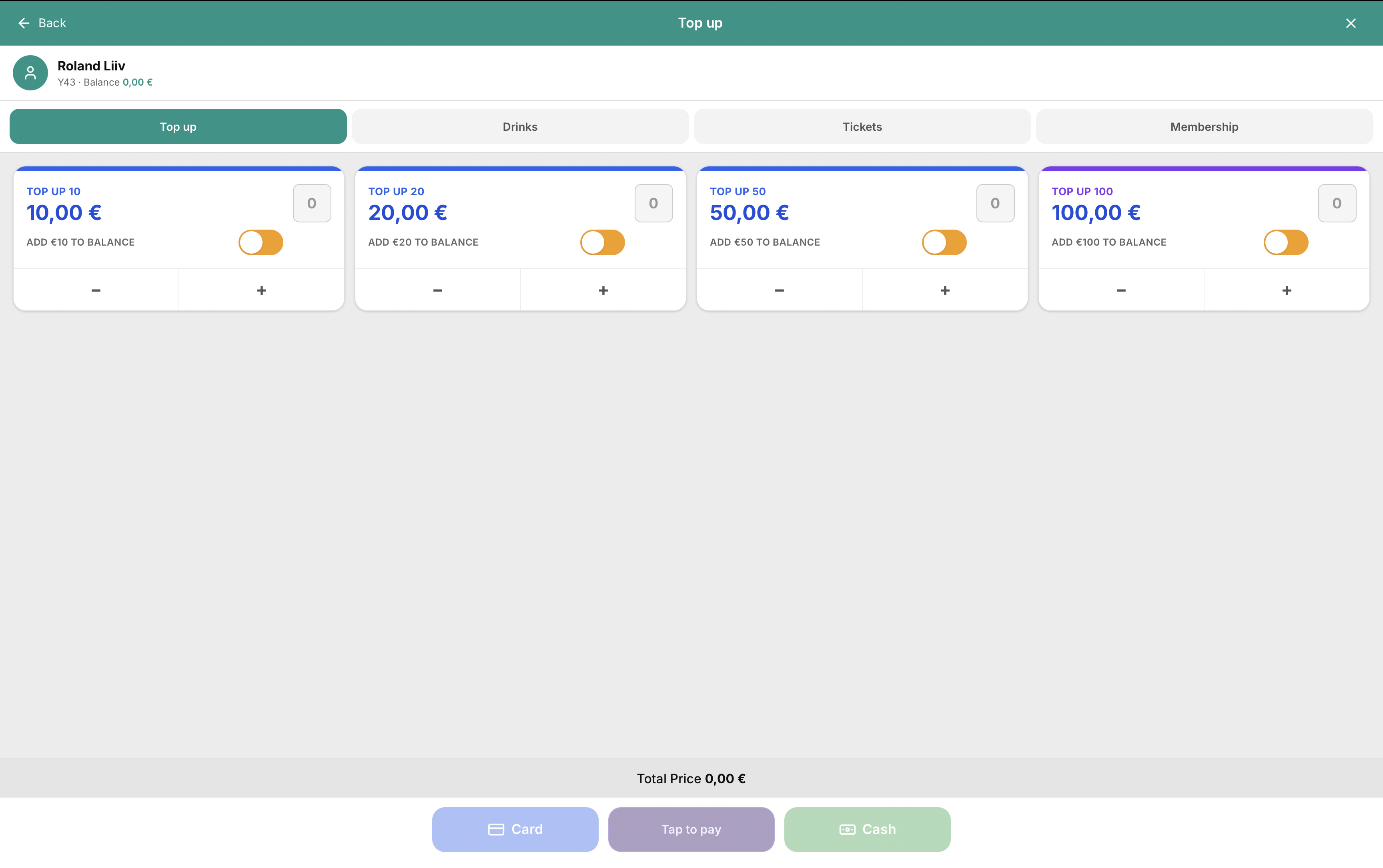
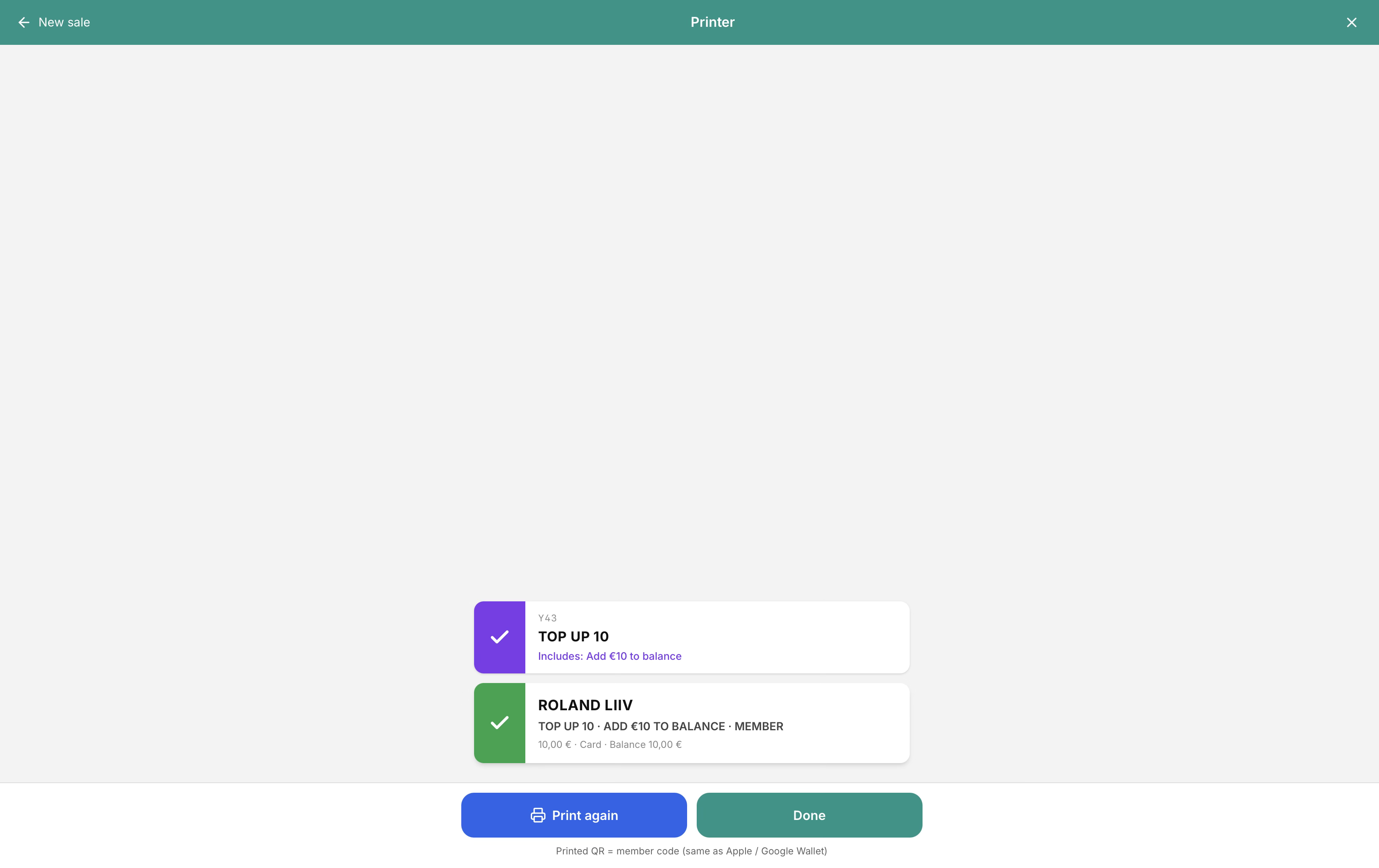
Manager → Customer offers (POS menu) builds categories like Top up, Drinks, Tickets, Membership. Each offer has price, payment (Cash/card, balance, free) and effect (e.g. add price to balance). On the till, attach a member, open Customer → offers sheet, pick a pack, then Card / Tap to pay / Cash. Receipt print shows the member code (same as Apple / Google Wallet).
Concrete capabilities from the live Hubumo build — not a generic feature list.
POS menu → Customer offers. Create categories, set category defaults for payment and effect, add offers (title, price, note). Toggle In POS so the pack appears on the till sheet.
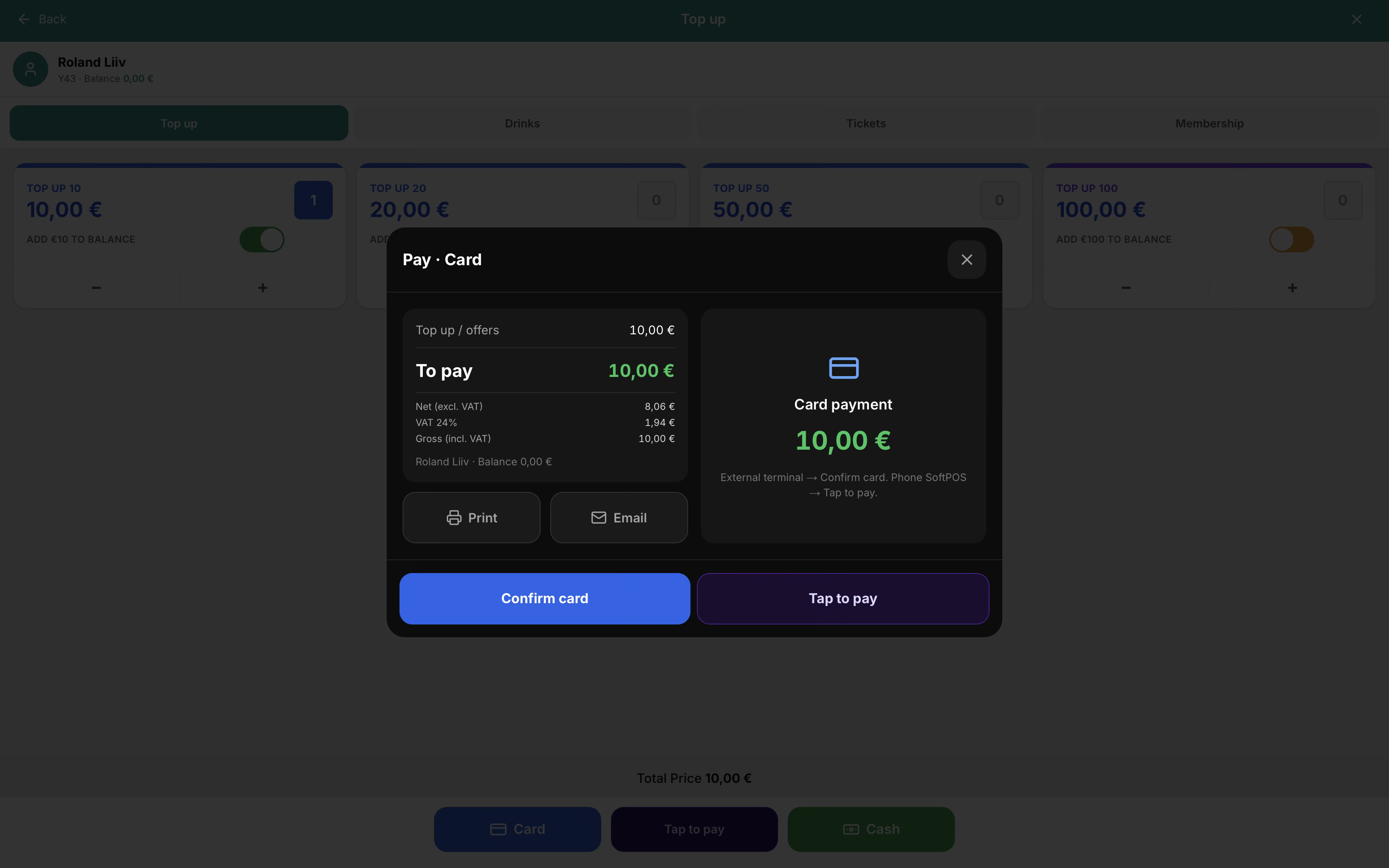
With a member on the check, open the offers sheet. Select a top-up (e.g. TOP UP 10 — add €10 to balance), then Card, Tap to pay, or Cash. Confirm card uses an external terminal; Tap to pay uses SoftPOS.
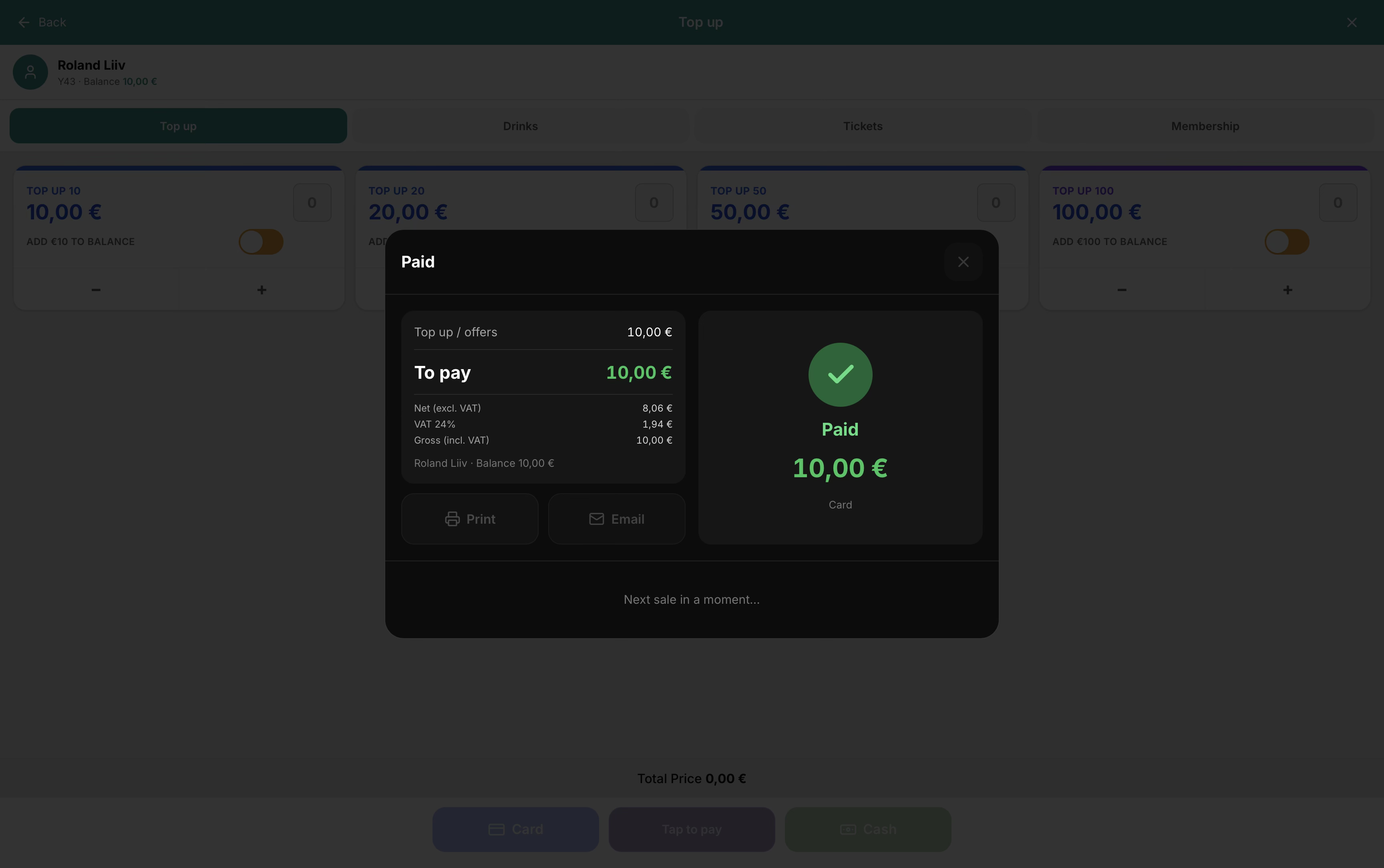
After pay, Print / Email from the paid sheet. The printer view shows the offer and member — printed QR is the member code, same as Apple / Google Wallet.
Manager → Customer offers — categories, offers, In POS.
POS → Customer → select member.
Opens offers sheet → pick pack → Card / Tap / Cash.
Real Hubumo screens from this module — each image shows a distinct workflow, not a repeated shot.
Tell us about your venue, your locations, and what you want to improve. A member of the Hubumo team will contact you shortly.