Back to all features
Access

Guest access

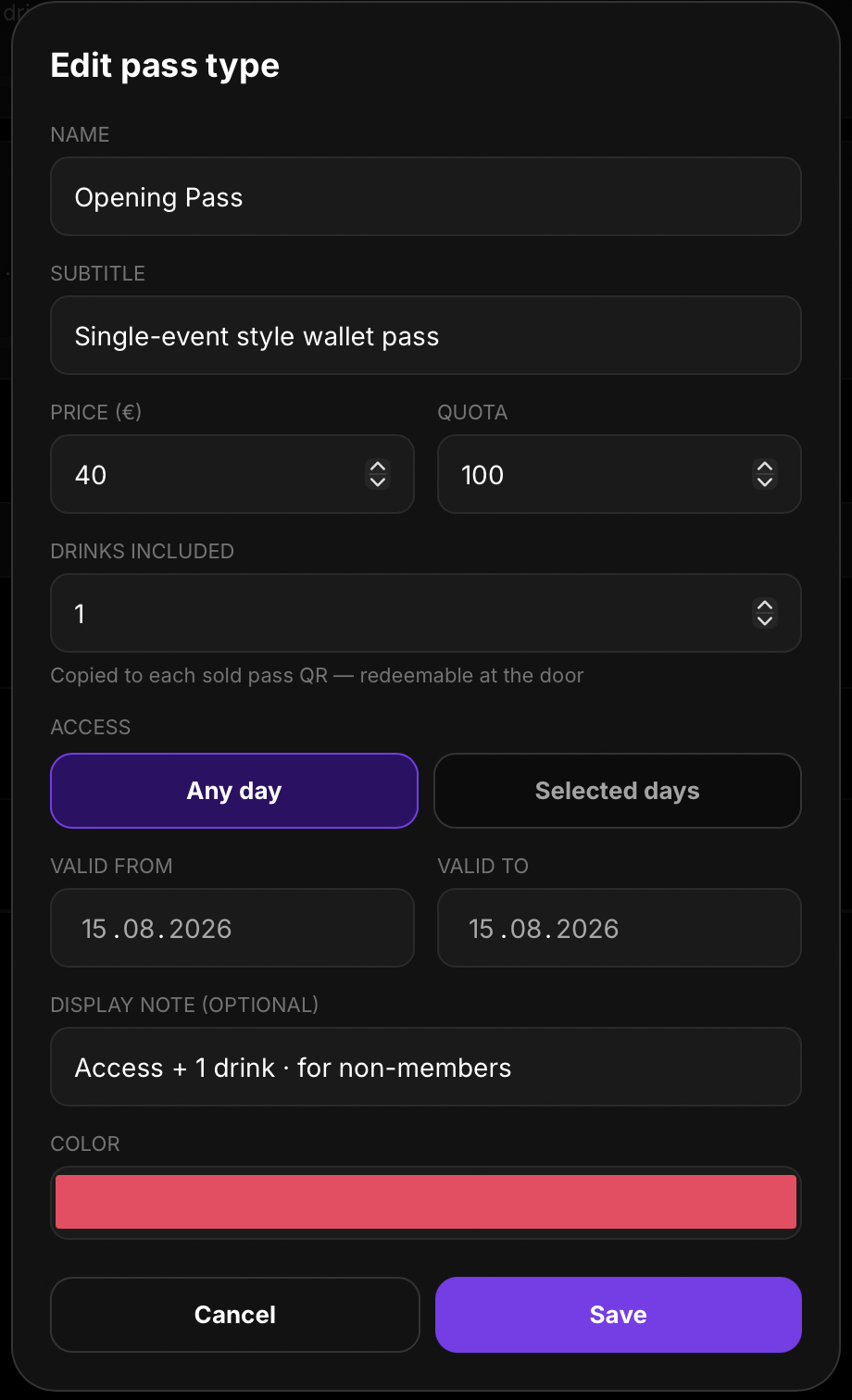
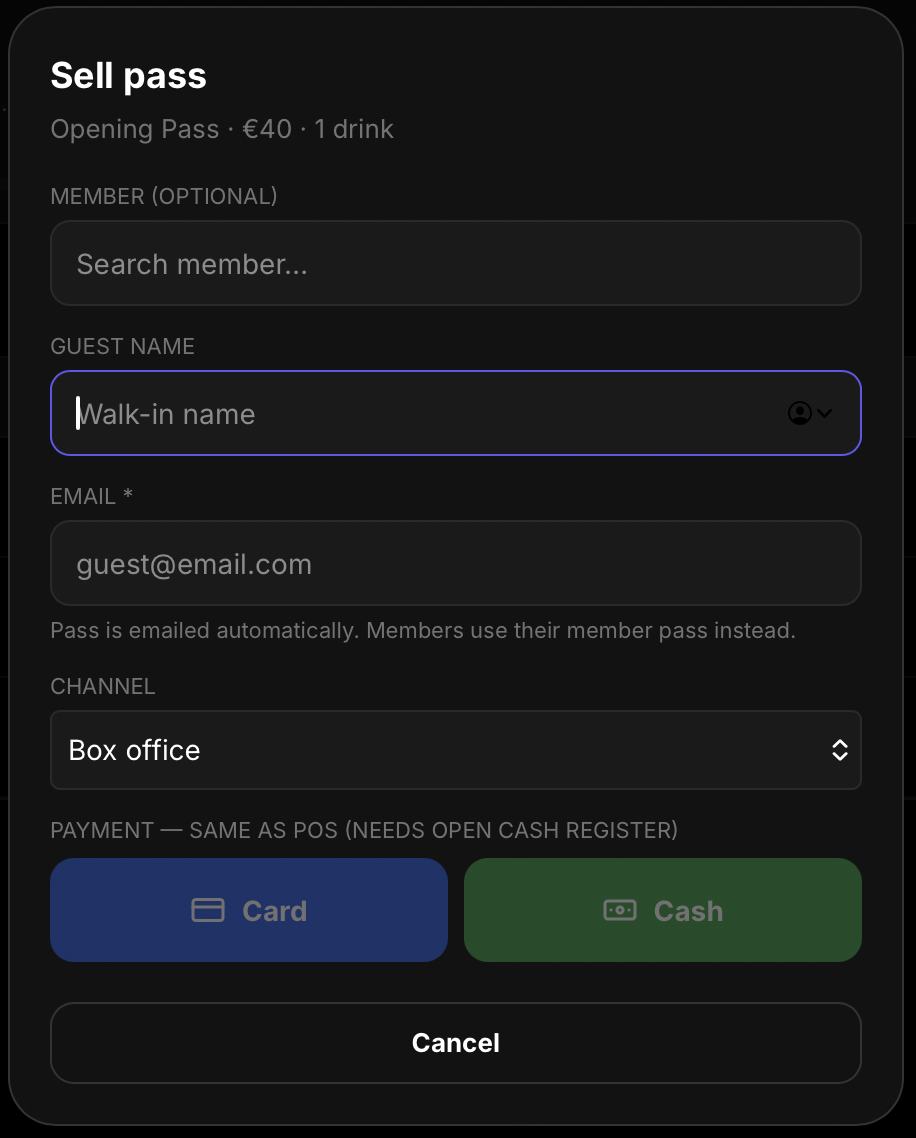
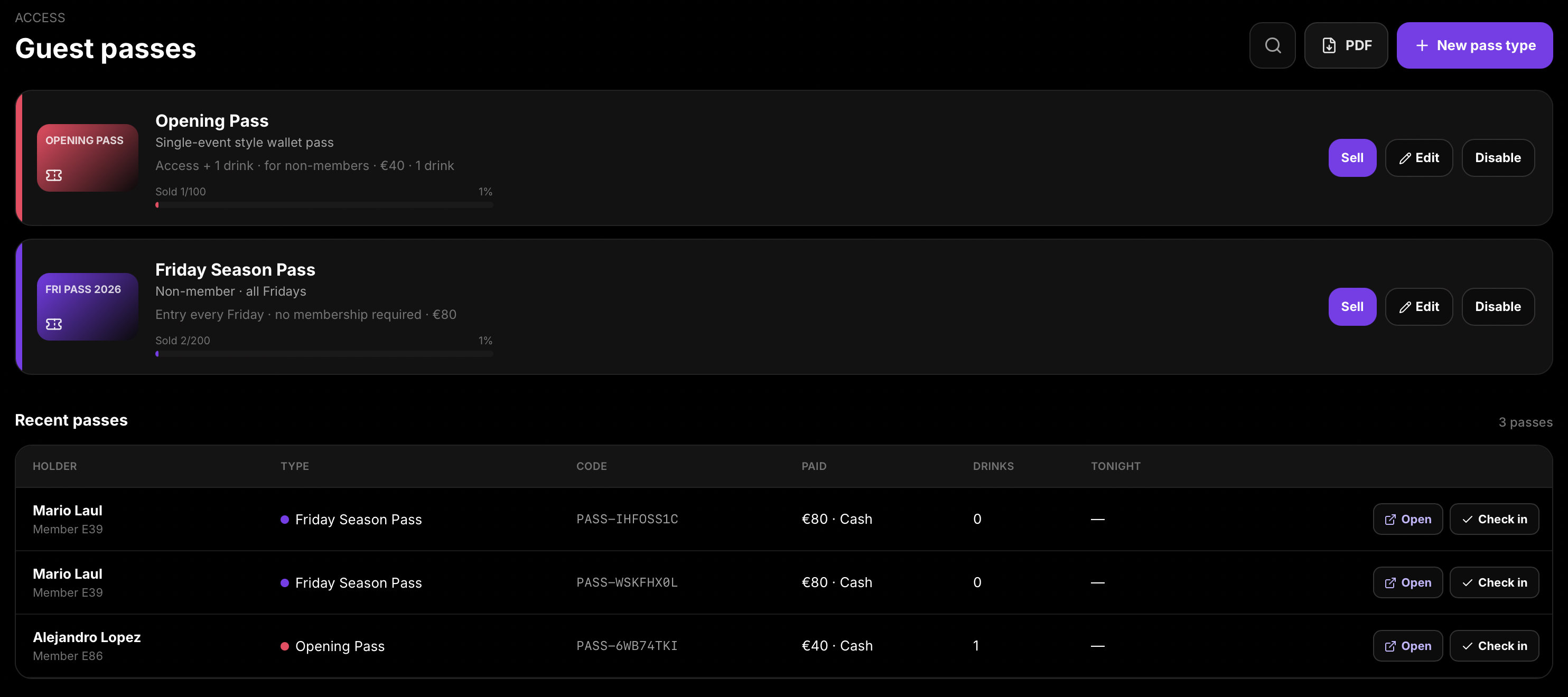
Guest passes are multi-night or single-event wallet passes for non-members — separate from night-specific event tickets. Define pass types with name, subtitle, price, quota, included drinks, validity (any day or selected days, date range), display notes, and colour. Sell a pass with an optional member link, guest name, email, sales channel, and Card or Cash payment (cash needs an open register). Recent passes show the holder, type, PASS- code, payment, drinks left, Open, and Check in. Guests receive a digital GUEST PASS for Apple Wallet, Google Wallet, or Share.

What Hubumo can do

Flexible guest access — create types, sell passes, and check in at the door.

  • Create or edit a pass type — set price, quantity, included drinks, valid days, dates, and colour
  • Sell a pass — optional member link, guest details, sales channel, and Card or Cash payment
  • Payment follows the same POS process — cash requires an open cash register
  • Recent passes — view PASS- codes, Open, Check in, and drinks remaining
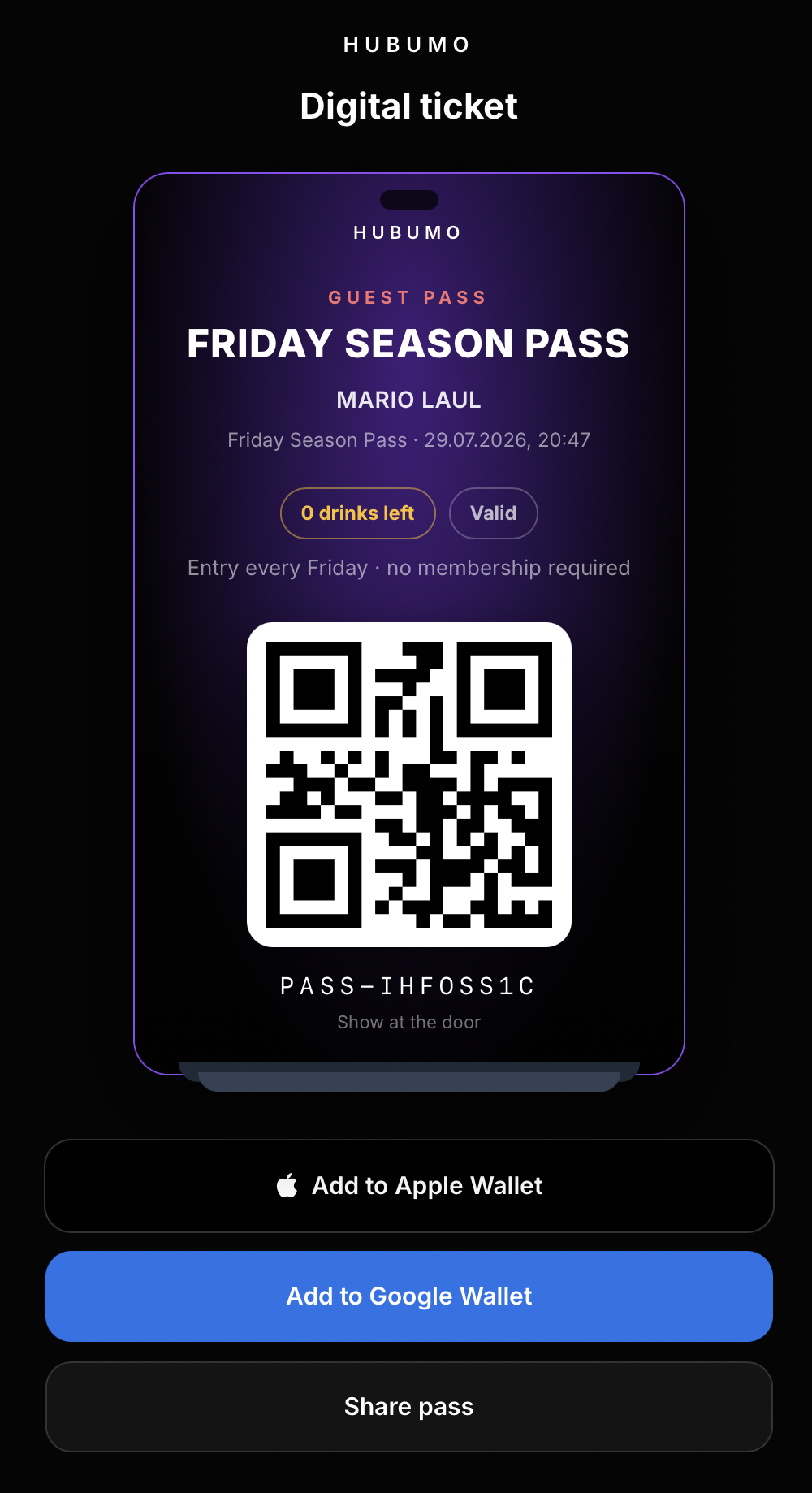
  • Digital guest pass — Valid status, Apple Wallet, Google Wallet, and Share
  • Door check-in enforces valid-day rules and drink redemptions — separate from event tickets

How guest passes work

Guest passes versus event tickets

Event tickets provide access to one specific event. Guest passes can provide access across multiple days or selected weekdays within a date range, with included drink entitlements attached to each pass. Staff scan the pass in Ticket/Drink to check access and redeem drinks.
Sell and take payment

When selling a pass, optionally link it to an existing member, who can use their member pass instead of providing an email address. For a walk-in guest, enter the guest’s name and email address. The sales channel defaults to Box office. Card and cash payments are recorded through the open POS cash register.

How Guest Passes works — step by step

  1. 1
    Create a guest-pass type

    In Manager, go to Guest passes and select New pass type.

  2. 2
    Sell a guest pass

    Select Sell, choose an existing member or enter a walk-in guest’s details, then take payment by card or cash. An open POS cash register is required for cash payments.

  3. 3
    Share the guest pass

    Open the guest pass, then add it to Apple Wallet or Google Wallet, or share the pass with the guest.

  4. 4
    Check in guests and redeem drinks

    Scan the guest pass in Ticket/Drink to check the guest in and record included drink redemptions.

Screens and workflows

Real Hubumo screens from this module — each image shows a distinct workflow, not a repeated shot.

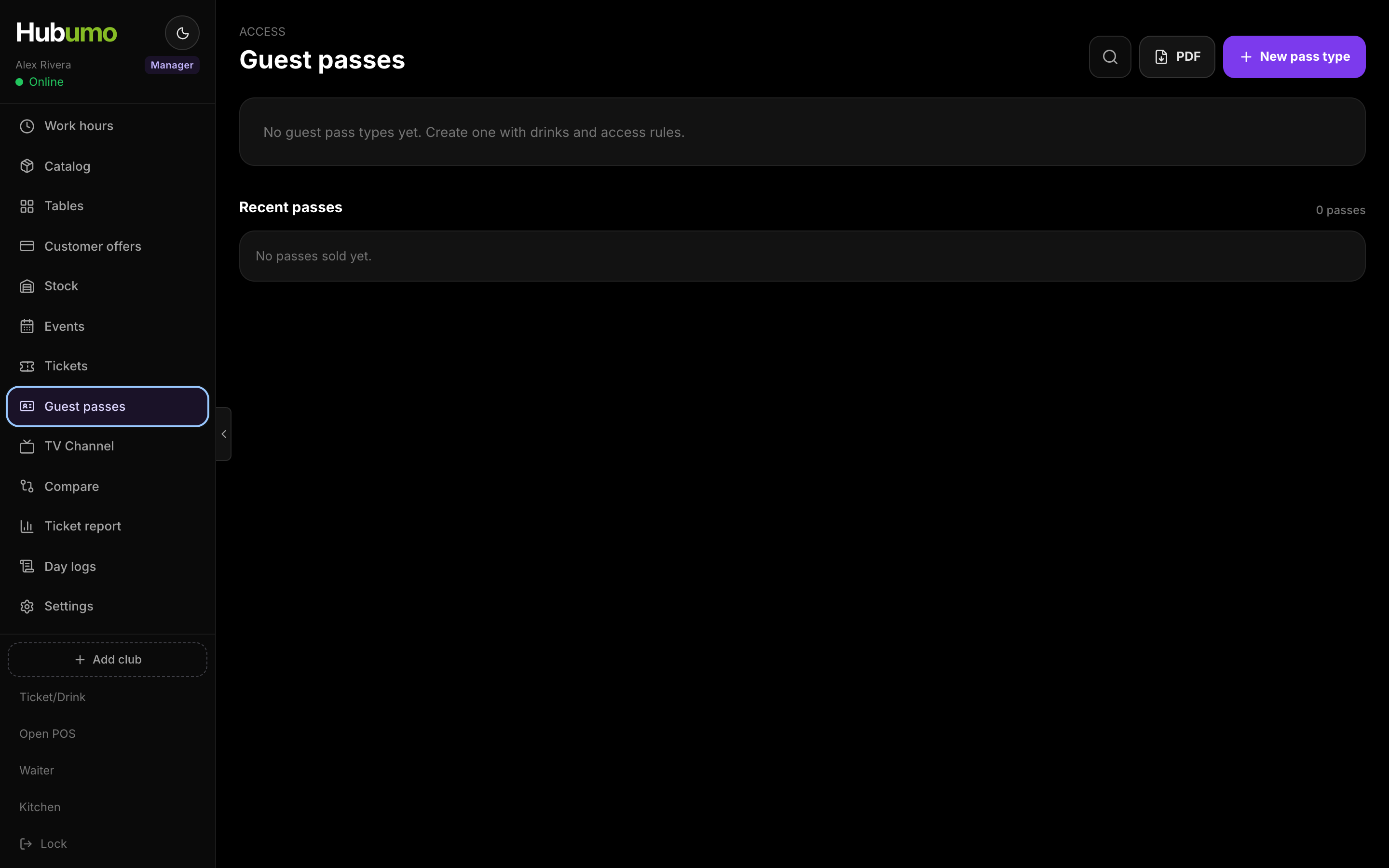
Guest passes — manage pass types and review recently issued passes
Digital guest pass — add to Apple Wallet or Google Wallet, or share the pass
Edit guest-pass type
Sell a guest pass — choose card or cash payment
Request a demo

Ready to run your venue with Hubumo?

Tell us about your venue, your locations, and what you want to improve. A member of the Hubumo team will contact you shortly.

Fields marked with * are required.

By submitting this form, you agree that Hubumo may use your information to respond to your enquiry. See our Privacy Policy.

Hubumo

Explore more modules